Dark Mode
FlowFuse now has a dark mode. You can switch the whole app between Light, Dark, and System from your User Settings.
A bright white UI is fatiguing in low-light control rooms or on a night shift. Dark mode lets FlowFuse fit those environments.
By default, FlowFuse follows your operating system and flips live when it changes. Pick Light or Dark to lock it in — FlowFuse remembers your choice per browser.
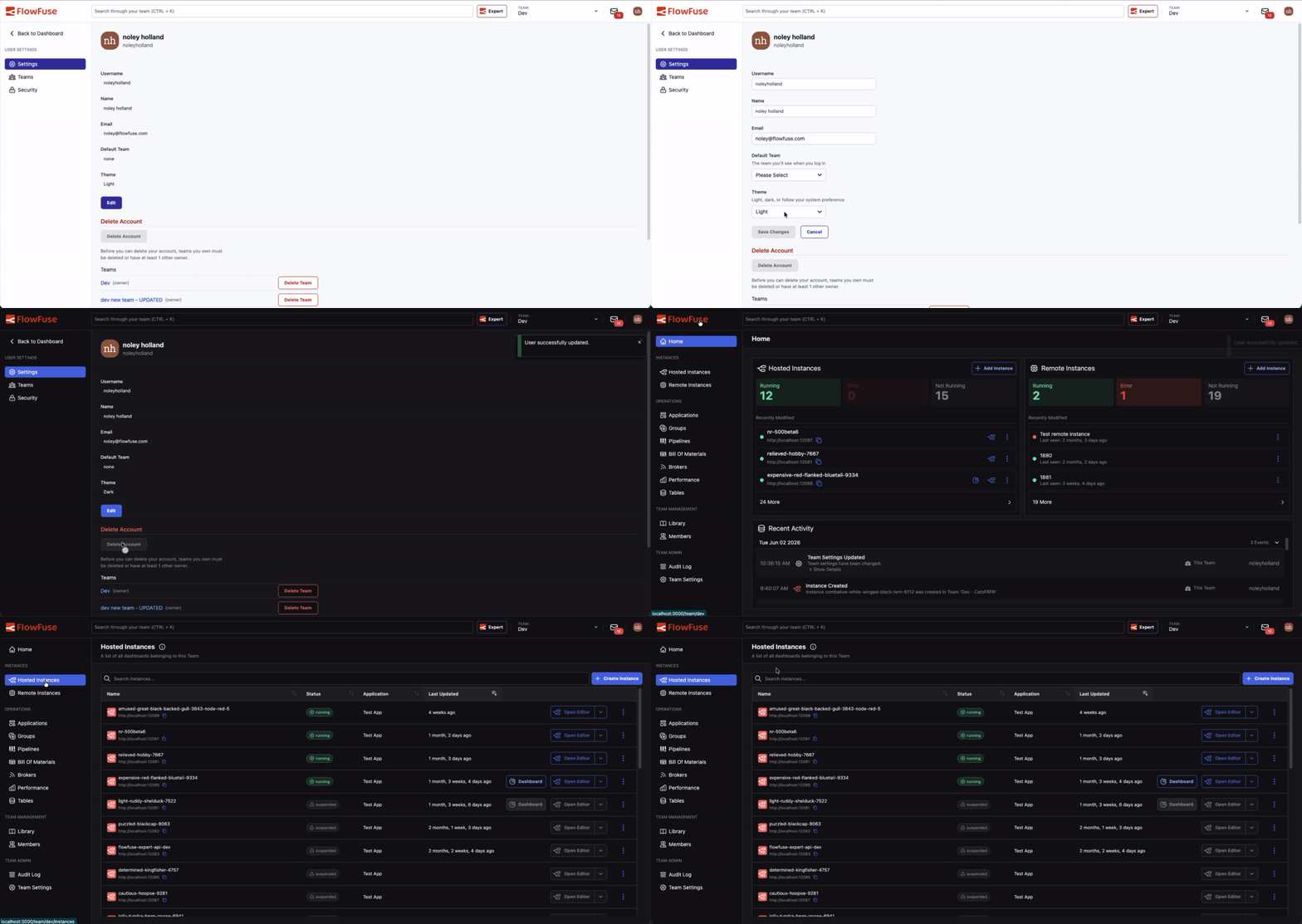
To change your theme:
- Open User Settings
- Under Theme, choose Light, Dark, or System
- Save
A note on scope: dark mode covers the FlowFuse application itself. The embedded Node-RED editor and Dashboard iframes keep their own themes — Node-RED and your Dashboard configuration manage those separately.
This feature is available to all FlowFuse Cloud users and all Self Hosted users from v2.32.
Written By:
Published on:
Related GitHub Issues
Recent Updates:
- Single SSO provider for all users
- FlowFuse Expert Builds Your Application
- Customisable Immersive Editor Drawer
- FlowFuse expert action links